

A structured prompt turns a fifteen-minute status report into a two-minute task. The core move is simple: give your AI tool a role, the context of your project, a clear instruction, and the format you want back. Try it on this week's status update, then build out a framework and template library from there.
TL;DR:
- Using structured prompts based on context, role, instruction, scope, and parameters significantly improves AI output quality for project management tasks.
- Maintaining a library of tested prompts and reviewing their outputs regularly helps ensure consistency and accuracy across different team members.
- Integrating AI-generated structured outputs directly into existing project management tools reduces manual formatting and improves workflow efficiency.
- Treat AI drafts as first versions requiring human verification, especially for critical data like dates, names, and risk assessments, to maintain quality and accuracy.
Table of Contents
- What Prompt Engineering Means for Project Managers
- A Prompting Framework Built for PM Work
- Which PM Tasks Should You Automate First?
- Prompt Templates You Can Copy and Adapt Today
- Governance, Verification, and Data Safety Rules to Follow
- Building a Shared Prompt Library Across Your Team
- Training and Upskilling Project Teams on Prompt Engineering Basics
- How to Measure Whether Your Prompts Are Actually Working
- Connecting Prompt Engineering to Your Existing PM Software
- What Prompt Engineering as a Career Skill Really Means
- Where to Find Templates, Courses, and Coaching
- Sources
- FAQ
What Prompt Engineering Means for Project Managers
Prompt engineering for project managers involves composing clear, structured instructions that help large language models produce usable drafts of status reports, risk registers, meeting summaries, and schedules. It's a communication skill, not a coding skill. If you can write a clear scope statement, you can write a good prompt.
Freelance PMs, PMOs, and internal project teams all benefit, mostly because the tasks eating their time (status rollups, follow-up emails, WBS drafts) are exactly the tasks AI drafts well; learn more about how to scale client work without burnout with AI for agencies. Atlassian's research on AI in project management notes that AI automates routine tasks, predicts risks, and helps optimize resource allocation, which frees up time for the judgment calls only a PM can make.
Three misconceptions trip people up early:
- AI replaces the PM's judgment. It doesn't; it drafts, you decide.
- A "magic" prompt exists that works everywhere. It doesn't; prompts need project context to work.
- Shorter prompts are always better. They aren't; vague prompts produce vague output.
A Prompting Framework Built for PM Work
Most bad AI output traces back to a missing ingredient in the prompt, not a bad model. A structure adapted from the CRISP method (Context, Role, Instruction, Scope, Parameters) fixes that, and prompt frameworks built around this structure consistently produce more usable output than open-ended requests.
Here's what each element does:
- Context: State the project type, phase, and any constraints (budget, deadline, stakeholder sensitivity). Skip this and the AI guesses.
- Role: Tell the model what persona to adopt, for example "act as a senior project manager writing for a steering committee." Role framing changes tone and level of detail automatically.
- Instruction: Give the exact task. "Summarize this week's updates" is weaker than "identify the three highest risk items from these notes and flag any missed deadlines."
- Scope: Set boundaries, like word count, audience, or which sections to include or exclude.
- Parameters: Specify output format. Table, bullet list, or plain paragraph. This single element saves the most reformatting time.
Once a prompt reliably produces output you'd actually send to a client, save it. Don't rebuild it from scratch next week.
Pro Tip: Keep a running document of prompts that worked well, tagged by task type. Five minutes of tagging now saves you from reinventing the same prompt six months from now.
Which PM Tasks Should You Automate First?
Not every task deserves the same attention. Prioritize by how repetitive the task is and how tolerant it is of a first-draft AI output that still needs your edit.
- Weekly status reports: Ask the AI to convert raw notes or Slack threads into a client-ready summary. Validate that dates, owners, and dollar figures are correct before sending.
- Risk registers: Feed in project notes and ask for a table of risks, likelihood, impact, and mitigation. You still own the risk scoring judgment.
- Meeting summaries: Paste a transcript or notes and ask for action items with owners and due dates. Check names and deadlines against the actual meeting.
- Executive updates: Ask for a one-page summary tailored to a non-technical audience. Confirm tone matches the actual stakeholder relationship.
- WBS drafts: Request a first-pass work breakdown structure from a project brief. Treat it as a skeleton, not a final plan.
- Estimation support: Ask for a range based on comparable past projects, then sanity-check against your own historical data.
Most of these outputs map cleanly into Google Docs, Sheets, or whatever PM software your team already runs, which is where the real time savings show up.
Prompt Templates You Can Copy and Adapt Today
These templates use bracketed placeholders. Replace everything in brackets with your actual project details before running the prompt. Smartsheet's collection of task-specific prompts follows the same logic: specific inputs produce specific, usable outputs.
- Status report: "Act as a project manager. Using these raw notes: [paste notes], write a status update for [stakeholder group] covering progress, blockers, and next steps. Format as three sections with headers. Keep it under 200 words."
- Risk register: "Act as a risk analyst. From this project brief: [paste brief], generate a table with columns for Risk, Likelihood (High/Medium/Low), Impact, and Mitigation Action."
- Meeting summary: "Summarize this meeting transcript: [paste transcript] into a bulleted list of decisions made and action items, each with an owner and due date."
- Executive summary: "Write a one-paragraph executive summary of this project's status for a non-technical stakeholder, based on: [paste data]. Avoid jargon."
- WBS draft: "Act as a senior PM. Create a first-draft work breakdown structure for a [project type] project with a [timeframe] timeline, organized by phase."
- Retrospective notes: "From this list of team feedback: [paste feedback], organize into 'What Went Well,' 'What Didn't,' and 'Action Items for Next Sprint.'"
Here's an iteration example. A vague first attempt, "summarize my project," returns generic filler with no real detail. The fixed version, "Act as a PM assistant, summarize these five status updates into a table with columns for Team, Progress, and Blockers, under 150 words," returns a clean table you can paste straight into a client email. The difference is entirely in the added role, format, and scope.
Governance, Verification, and Data Safety Rules to Follow
Every AI-assisted output is a draft, not a deliverable. IIL's guidance for project managers is blunt about this: treat AI output as a first pass that a human reviews for accuracy before it goes anywhere near a client or stakeholder.
A quick pre-use checklist keeps you honest:
- Did you verify every date, name, and number against the source data?
- Did you check for assumptions the AI made that weren't in your original input?
- Is there a clear human owner accountable for the final version?
- Do you have explicit permission to publish or send this output as-is?
On data privacy: never paste confidential client data, unreleased financials, or personally identifiable information into a public AI model. If your organization has an enterprise or internal AI tool with data controls, use that instead for anything sensitive. A 2025 literature review on AI in project management found real gains in forecasting and risk identification, but also noted that research on some PM knowledge areas is still catching up to the pace of adoption, which is a good reason to keep verification habits strict rather than loosen them as the tools improve.
Building a Shared Prompt Library Across Your Team

A prompt used once and forgotten wastes the ten minutes it took to write. IIL recommends saving a library of template prompts for repetitive tasks, with version control so the team always works from the current best version, not last quarter's draft.
A workable process looks like this:
- Identify the five or six tasks your team repeats every week or every sprint.
- Write and test a template prompt for each, using bracketed placeholders for project-specific details.
- Store them in a shared doc with a version number and a short changelog line.
- Assign a reviewer for each template so quality doesn't drift as new people use it.
For onboarding, short micro-lessons beat a single long training session. Pair a fifteen-minute walkthrough of the framework with a QA round where a senior PM checks the new hire's first few outputs, then move to periodic sampled audits. A template library and courses are often built around this kind of repeatable, reviewed structure, which matters more for consistency than any single clever prompt.
Training and Upskilling Project Teams on Prompt Engineering Basics
Most teams don't need a semester-long AI course. They need thirty minutes on the framework, a handful of real examples pulled from their own projects, and a habit of reviewing output together for the first few weeks.
Start with a working session, not a lecture. Take one real, recent task, a status report from last week, for example, and have the team write prompts for it live. Compare results. The gap between a vague prompt and a structured one becomes obvious fast when everyone's looking at the same source notes.
For more formal upskilling, PMI's Talking to AI: Prompt Engineering for Project Managers course focuses specifically on designing and refining prompts for large language models and awards a digital badge on completion. It's a reasonable anchor credential if your organization wants something structured and recognized industry-wide, rather than an internal one-off session.
After the initial training, the habit that actually sticks is peer review. Have two team members swap prompts and outputs weekly for a month, flagging anything that needed heavy editing. That feedback loop teaches people faster than any course slide does, because it's their own work under review.
Keep a low bar for "good enough to start." A PM who writes one decent prompt a week and refines it is ahead of a PM who waits for a perfect framework before trying anything. The skill compounds through repetition, not through a single training event.
How to Measure Whether Your Prompts Are Actually Working
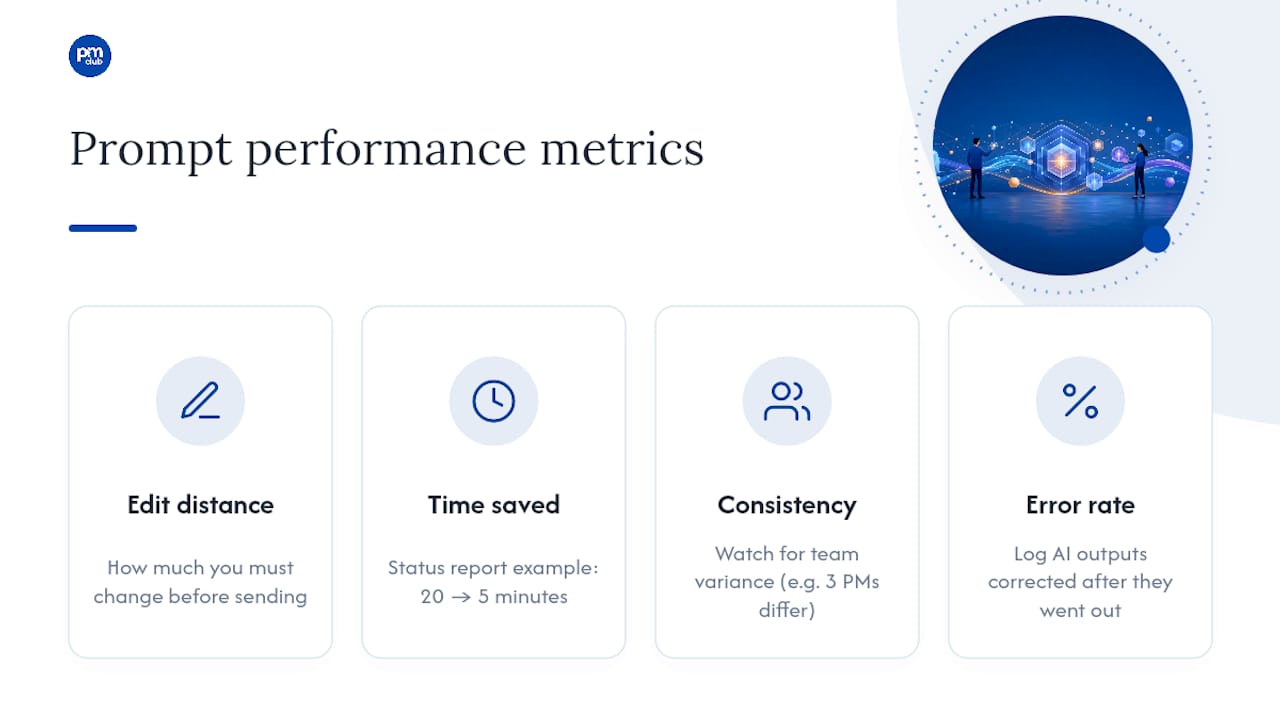
The simplest measure is edit distance: how much do you have to change before an AI draft is ready to send? Track this loosely for a few weeks. If your risk register prompt needs heavy rewriting every time, the prompt has a gap, usually in the Context or Scope elements, not in the model itself.
Time saved is the second metric, and it's the one that matters most to a freelance PM billing by the hour or managing multiple clients. If a status report used to take twenty minutes and now takes five, that's a real, trackable gain across a month of reports.
Watch for consistency across team members too. If three PMs on the same project produce wildly different quality from the same template prompt, the template needs tightening, or the team needs a quick calibration session on how to fill in the placeholders.
Error rate matters more than speed in regulated or client-facing contexts. A prompt that saves time but introduces a wrong date or a misattributed action item costs more than it saves once someone has to chase down the correction. Log any AI-drafted output that had to be corrected after it went out, even informally in a shared note. Patterns show up fast, usually pointing to the same one or two prompts that need a rewrite.
None of this requires special software. A shared spreadsheet tracking task, prompt version, and time saved is enough to tell you which templates in your library are pulling their weight and which ones need retiring.
Connecting Prompt Engineering to Your Existing PM Software
The output of a good prompt is only useful once it lives where your team actually works. A beautifully formatted risk table sitting in a chat window does nothing for a team that manages risk inside Jira, Asana, Monday, or Smartsheet.
The practical habit is to generate structured output, a table, a bulleted list, a CSV, and move it into your PM tool immediately. Guidance on mapping AI-generated content into existing workflows makes this point directly: the AI output should feed your single source of truth, not sit alongside it as a parallel, easily forgotten document.
Some PM platforms now have AI features built in, which can shortcut this step, but the underlying discipline is the same whether you're copying and pasting or using a native integration. Decide in advance where each type of output belongs, risk tables into your risk register tool, meeting action items into your task tracker, and build that destination into the prompt itself. Asking the AI to output in a format that matches your tool's import structure (CSV with specific column headers, for example) saves a manual reformatting step every single time.
Enterprise adoption research is consistent on one point: tool integration and change resistance are common failure points when teams add AI without a clear plan for where outputs land. Treat the destination tool as part of the prompt design, not an afterthought you figure out later.
What Prompt Engineering as a Career Skill Really Means
Prompt engineering is becoming a baseline PM competency the way spreadsheet fluency did a generation ago. The PMs who get ahead aren't the ones with the cleverest single prompt. They're the ones who build a library, refine it weekly, and treat every AI draft as a starting point they own the final call on. Freelance PMs especially stand to benefit, since billable hours saved on admin translate directly into more capacity for paid client work or new business development. Try the status report prompt above on your next real deliverable this week. You'll feel the time difference immediately.
— Ashanti
Where to Find Templates, Courses, and Coaching
Building your own prompt library from scratch works, but it takes weeks of trial and error most freelance PMs don't have spare. A platform shortcuts that process by offering a ready-built library of PM prompt templates, short expert-led courses on applying AI to real project work, and career coaching to help turn efficiency gains into more billable capacity or better client positioning.
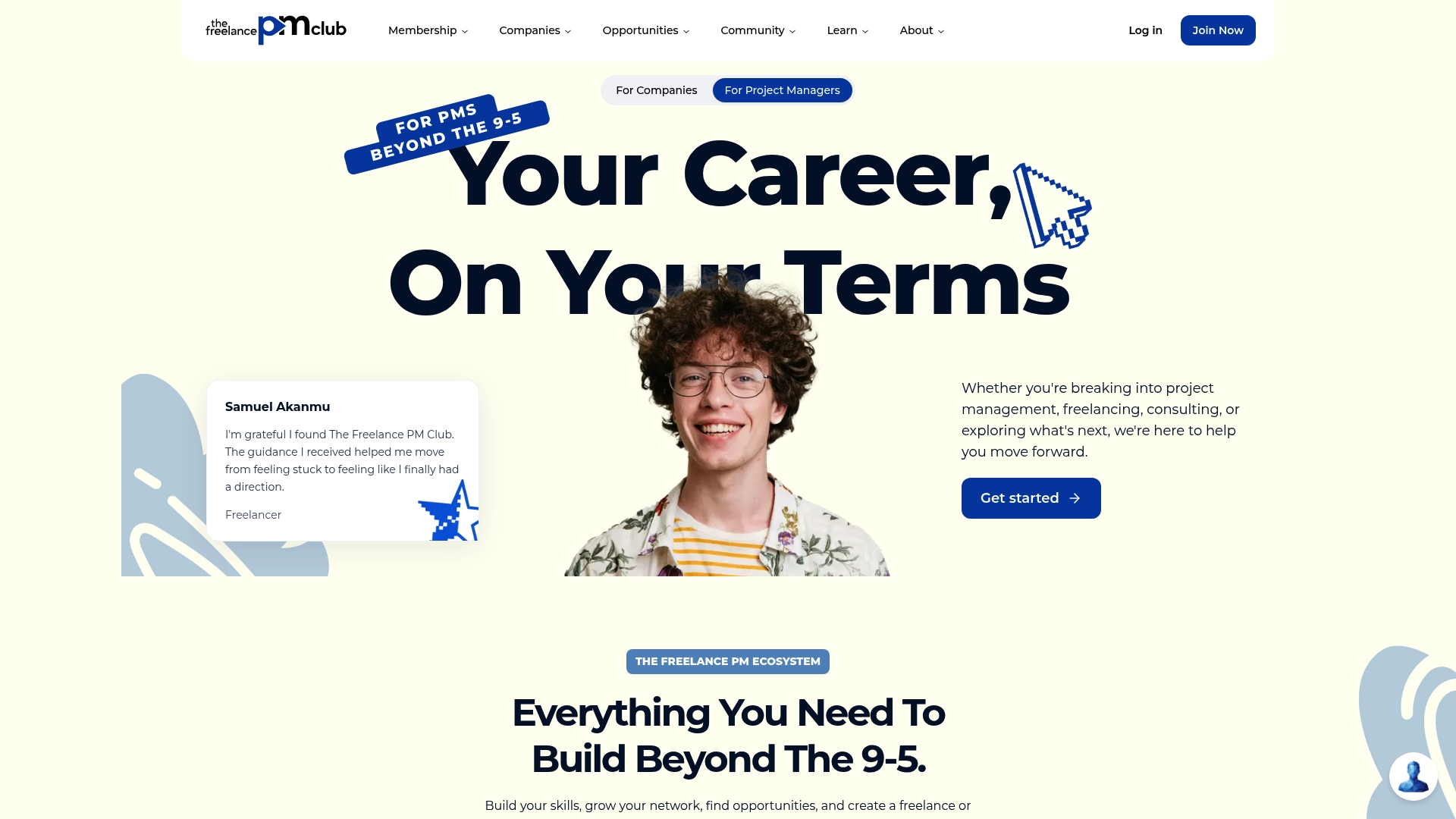
Instead of testing every prompt structure yourself, you browse a template already built for status reports, risk registers, and client updates, then adapt the bracketed fields to your project. Pair that with the community for feedback when a prompt isn't landing right, and you skip most of the trial-and-error phase entirely. If you want a faster path to using AI well in your PM work, browse the template library and courses at The Freelance PM Club and start with whichever template matches the task eating the most of your week right now.
Sources
- Project Management Institute – Prompt engineering resources
- AI for project management: How AI helps teams
- AI prompts for project management — Smartsheet
- Prompting for Project Managers — IIL
- AI for project management: revolutions, trends, and challenges — MDPI / Frontiers
FAQ
What is the 80/20 rule for project managers using AI?
Applied to AI adoption, it means roughly 80% of your time savings come from automating the 20% of tasks that repeat most often, like status reports and meeting summaries, rather than spreading effort thin across every possible use case.
Will PMP certification be replaced by AI?
No. AI handles drafting and pattern recognition, but research shows AI still can't replace the judgment-based decisions that certifications like the PMP are built to validate, such as stakeholder negotiation and risk trade-offs.
Which AI tool is best for project managers?
There's no single best tool; the right choice depends on whether you need a general chatbot for drafting, an AI feature built into your existing PM software, or a curated prompt library like the one The Freelance PM Club provides for PM-specific tasks.
What are some effective ChatGPT prompts for project managers?
The most effective prompts specify a role, project context, exact instruction, and output format, such as asking for a risk register formatted as a table with likelihood and impact columns rather than a general "list some risks" request.
Is it safe to paste project data into AI tools?
Not for confidential or sensitive information. Use enterprise or internal AI tools with proper data controls for anything containing client financials, personal data, or unreleased project details.